Set up
Set up your workspace
The five setup steps, what you need before you start, and how long it takes to go from a website address to a full queue of opportunities.
Setting up takes about a minute of your time and, after that, a few minutes of Scout's. You give it a website address, connect the search data you already have, optionally hand it anything already written down, confirm who you compete with, and then let it build. When it finishes, Home tells you what it learned and the queue is ready to review.
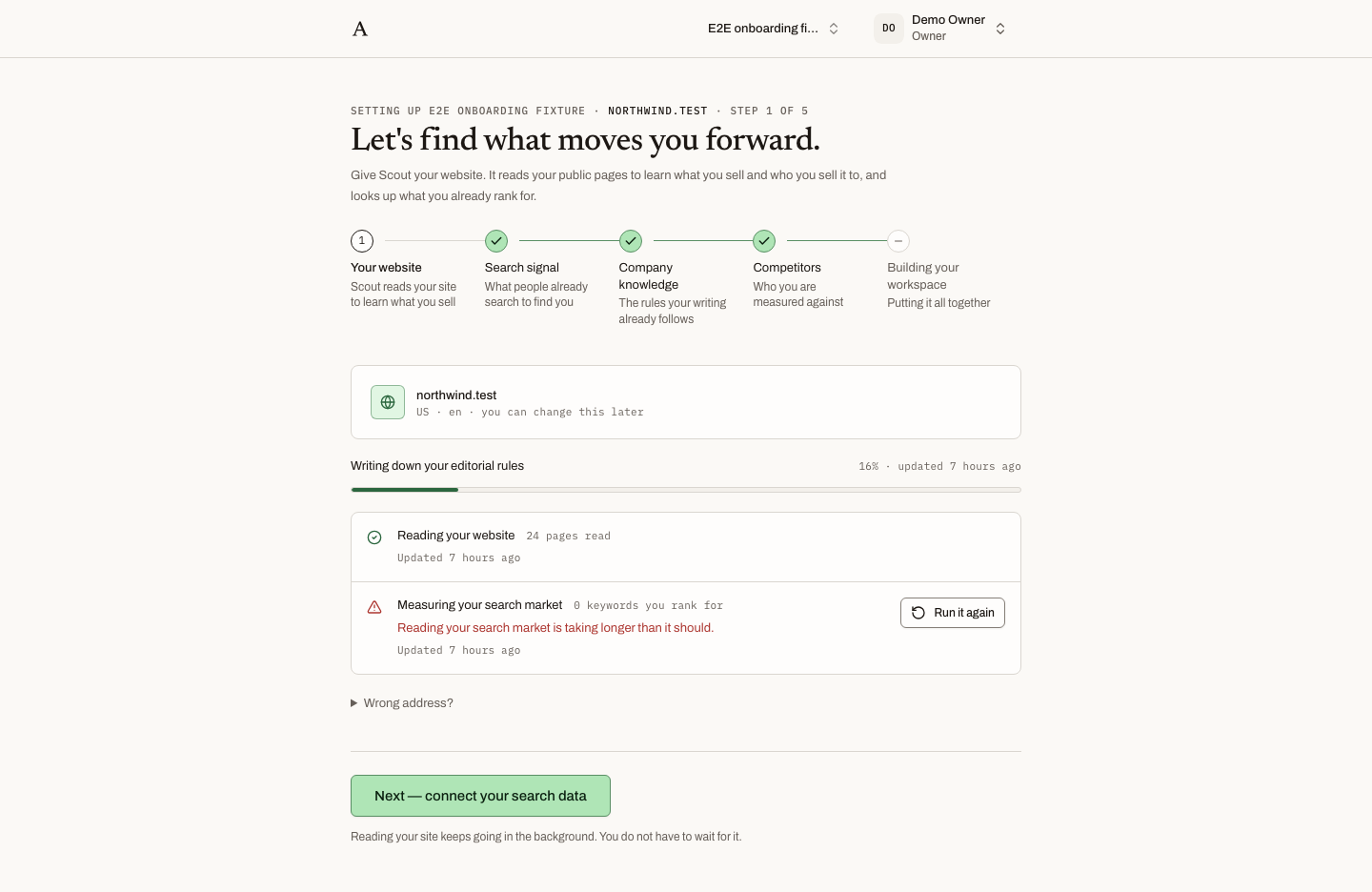 Every step carries the same frame: which workspace is being set up, its domain, and where you are in the five steps.
Before you start
You need three things, and only the first is required.
- An invitation. Accounts are created by invitation. A workspace owner or admin invites you, you open the link in the email, and you create your account from there. See Invite your team.
- Your website address. The one your customers visit, for example
resemble.ai. Scout works out the rest. - Access to Google Search Console for that site, ideally as the account that owns the property. This is what step 2 connects. Google Analytics is optional.
The five steps
Each step is a page with its own address, so you can leave part-way through and come back from a bookmark, a second device, or the Google consent screen. The heading above every step reads Setting up {workspace} · {domain} · Step N of 5, and optional steps are marked Optional in the stepper with a real skip button rather than a hidden link.
| Step | What you do | How long |
|---|---|---|
| 1. Your website | Give Scout the address. It starts reading straight away. | Under a minute |
| 2. Connect Search Console | Sign in with Google and pick the property. Strongly recommended. | A minute |
| 3. Add your knowledge | Upload brand guidelines, positioning or a favourite article. Optional. | As long as you like |
| 4. Confirm competitors | Check the list Scout found. Drop anyone who does not belong, add anyone missed. | A minute |
| 5. The build | Scout puts the workspace together. You can leave. | A few minutes of Scout's time |
Reading your site and pulling your search history carry on in the background from the moment you start them. You never have to wait for a step to finish before moving to the next.
Who does the setting up
Setting a workspace up is left to its owners and admins. Anyone else in the workspace sees the same steps with a note: Setting this workspace up is left to its owners and admins. You can follow along here. They can watch progress but cannot change anything. Roles are explained in Who does what.
Coming back to an unfinished setup
Opening the workspace's setup address always lands you on the step that is still waiting. If Scout is already building, Home shows a progress panel with the current step and what is still coming, and fills itself in as each piece lands. Nothing stops when you close the tab.
What happens next
When the build finishes, the last step reads Here is what Scout learned about {domain}. with the counts of what it found, and one button: Review what Scout found. That takes you to the opportunity queue, which is where the work starts.