Reports
Content performance
The report that says which pages worked, what Scout recommends doing about each one, and how the rest of your site compares with the pages Scout published.
Which pages worked? is the question this tab answers. It has two tables: the pages Scout published, each with a verdict on what to do next, and the rest of your site, where the fastest wins often are.
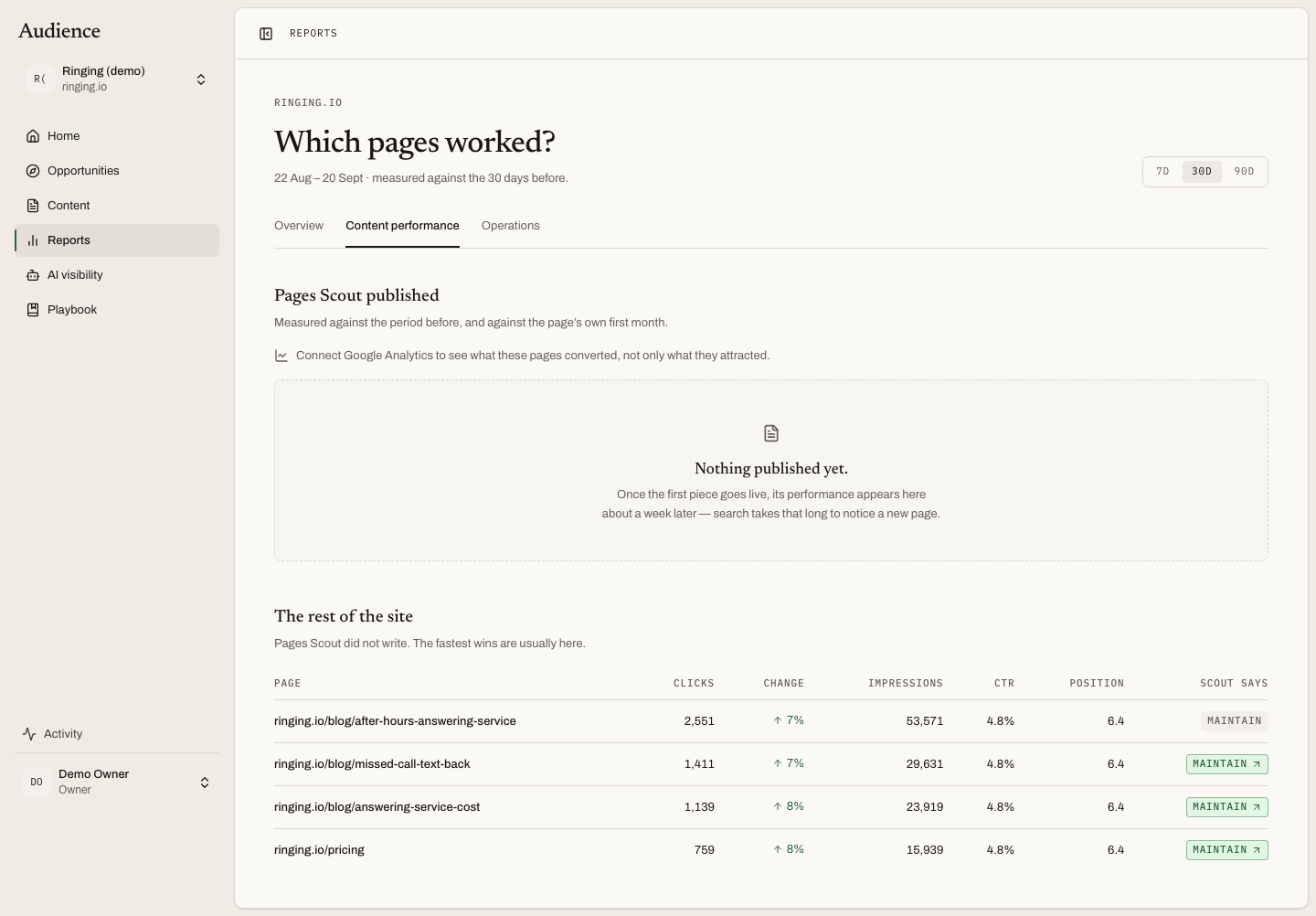 Each page Scout published ends in a verdict under "Scout says".
Pages Scout published
Every article that went live, measured two ways at once: against the period before the report's window, and against the page's own first month. The table's subhead says so.
| Column | What it shows |
|---|---|
| Page | The title, linking to the single-page report |
| Published | When it went live |
| Clicks | Organic clicks in the window |
| Change | Against the period before |
| Impressions | How often it appeared in search |
| CTR | Clicks divided by impressions |
| Position | Average position in search results |
| Key events | Conversions the page produced. Shown only when Google Analytics is connected |
| AI mentions | How often assistants mentioned the page's topic. Shown only when AI visibility is on |
| Scout says | The verdict |
Scout says
The last column is a badge with a next move. Hover it for the reasoning.
- Maintain. The page earns its place as it is. "Nothing needs doing."
- Refresh. The page is losing ground or its subject has moved on. Scout's next scan weighs it for the queue; nothing is needed from you yet.
- Expand cluster. The page is working and the questions around it are uncovered. A cluster of related pages would compound it.
- Investigate. The numbers moved in a way search data alone cannot explain. "Worth a human look at the page itself."
When a verdict has already become an opportunity, the badge turns green and links to it: "In your queue as '{topic}', click to open."
Before anything is published
The table says "Nothing published yet." and sets the expectation: once the first piece goes live, its performance appears here about a week later, because search takes that long to notice a new page. Without Analytics, a line invites you to connect it "to see what these pages converted, not only what they attracted."
The rest of the site
Pages Scout did not write, from the same Search Console data. The table's own subhead makes the point: "The fastest wins are usually here." A page that already ranks on the second page, or earns impressions without clicks, is often a smaller job than a new article. Scout lists the pages that earn enough impressions to be worth a decision; when none do, it says "No other pages to compare against."
The single-page report
Click a page title to open its own report. It shows three comparison windows side by side, each answering a different question:
- Is it moving now? The current window against the one before.
- Did it ever land? The page's first month against the period before publication.
- Did publishing change anything? After against before.
Under them, a clicks series over time and a table of the queries the page appears for. A page that was published before Search Console history reaches back has no pre-publication baseline, and the report says so rather than showing a zero.
The one-week lag
Search Console data arrives two to three days behind, and a new page takes about a week to start appearing in results. A page published yesterday will show nothing yet, and that is not a verdict on the page.
Related
Reports overview for the numbers across the whole site. Operations for how efficiently the pages were made.