Automation and activity
Activity
How to see what Scout is doing right now and what it did this week, from the sidebar indicator to the ledger of every agent call.
Scout does its work in the open. Every run it starts and every model call it makes is visible while it happens and afterwards, with what each one read, how long it took and what it produced. Activity is where that lives.
The sidebar indicator
At the foot of the sidebar on every page sits the activity indicator. While nothing is running it is a quiet row that says Activity. The moment something starts, it becomes a live card: a pulsing dot, Scout is working, the name of the run, a progress bar, n agents on it, and what the current agent is doing and to what ("Judging fit · deepfake detection api"). Completion toasts appear here too, so you learn that a scan finished without leaving the page you were on.
Clicking the indicator opens the Activity page.
The Activity page
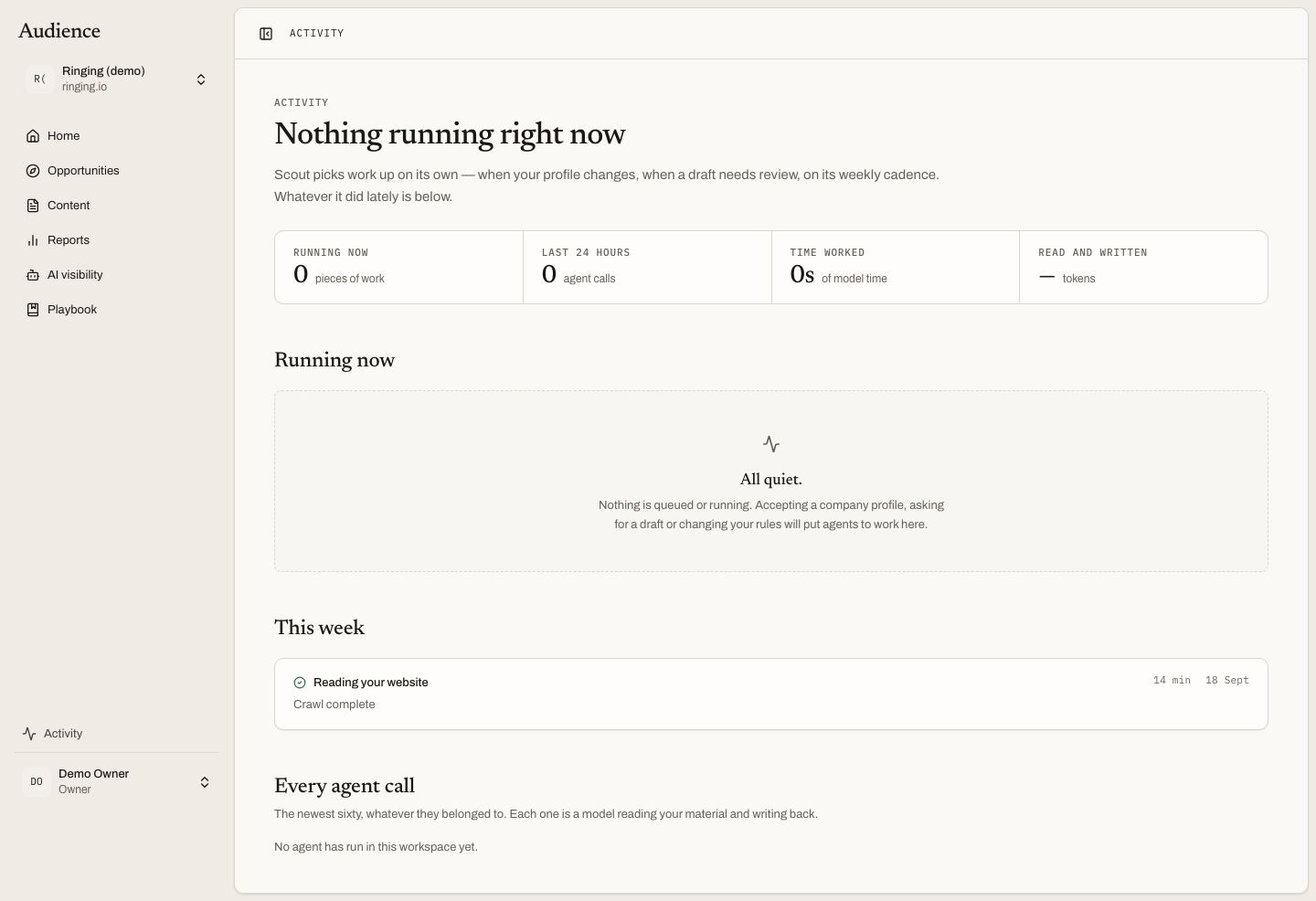 The headline is the state. Everything underneath explains it.
The heading tells you the state in one line, and the sentence under it says what that means:
- Scout is working — 3 agents on it right now. Every agent below is reading your material and writing back into your workspace. This page updates as they go.
- Nothing running right now. Scout picks work up on its own: when your profile changes, when a draft needs review, on its weekly cadence. Sometimes the sentence explains that Scout is fetching and measuring, pulling your search history and the numbers behind it, before any model work starts.
- Nothing is running — one run stopped early. A run stopped before it finished and nothing is working on it any more. Scout closes runs like that on its own, so this clears itself. No action is needed from you.
Under the heading, four figures: Running now, Last 24 hours (agent calls), Time worked (model time) and Read and written (tokens). If any calls did not finish, the figure says so.
Three sections
Running now. A card per run: which agents are on it, the current step, how long it has been going. Empty, it says: "All quiet. Nothing is queued or running. Accepting a company profile, asking for a draft or changing your rules will put agents to work here."
This week. Every finished run from the past seven days with its outcome or its error, how many agent calls it took and how long. A failed run carries a Retry button. Retrying picks up exactly where the run stopped rather than starting over, so a scan that judged half its topics before failing only judges the other half.
Every agent call. The newest sixty, whatever run they belonged to. Each one is a model reading your material and writing back. The columns are When, Agent (its role and the model), Working on (the activity and its subject), Consulted (what it read), Took, Tokens and Status.
What to do with it
Mostly nothing. Activity exists so you never have to wonder whether Scout is doing something, and so you can retry a run that failed without asking anyone. If a run has stopped early and the page says it will clear itself, it will. The same runs appear on Home under Running now and What Scout did this week, with the same Retry.
For what Scout does on its own and when, see What runs when. For what it will not spend without asking, see Budgets and limits.