Playbook
Topics Scout won't propose
Standing rules that keep whole themes out of your queue before they are scored, how to write one, and how to tell when one is too broad.
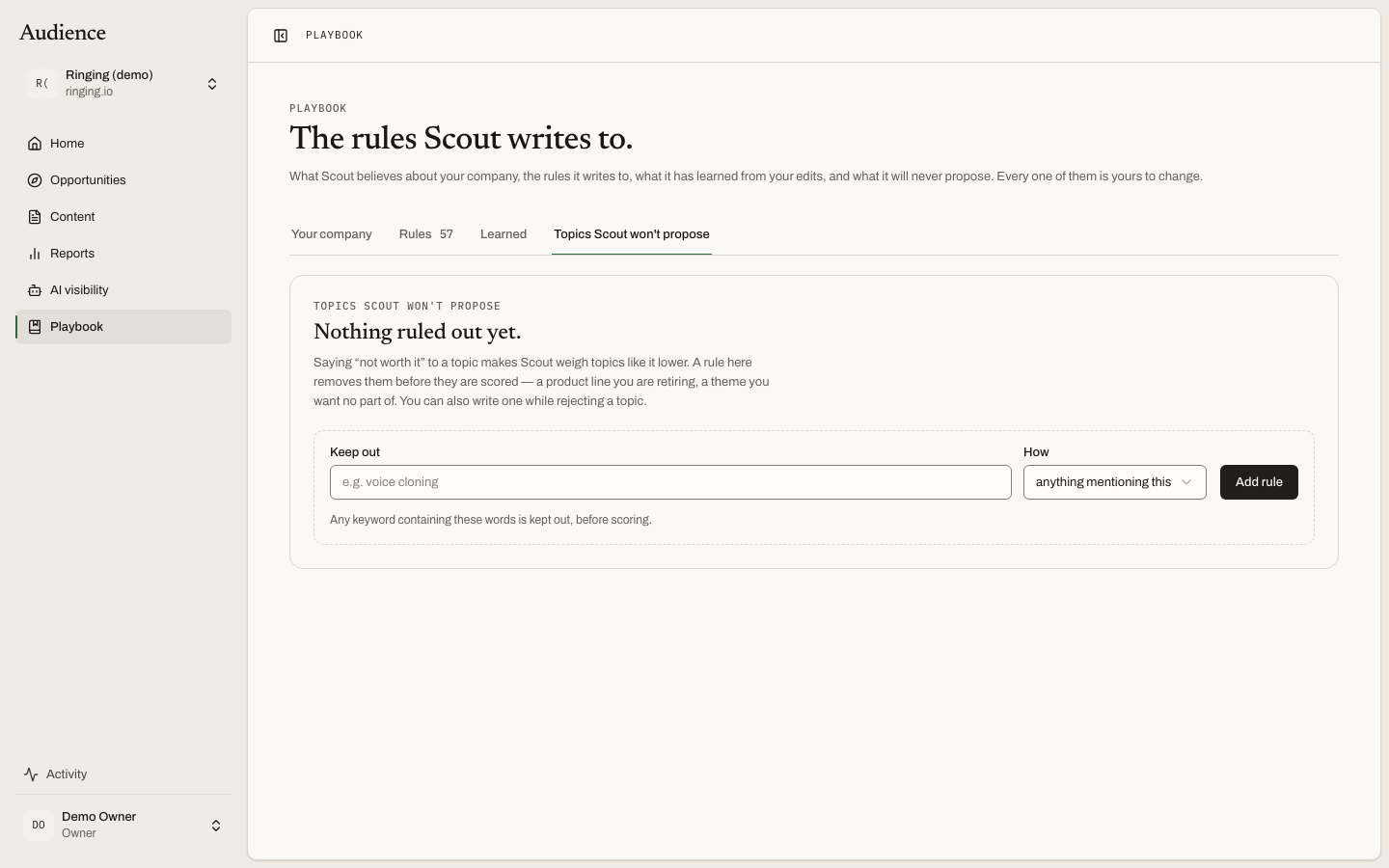
Saying Not worth it to a topic makes Scout weigh topics like it lower. Sometimes that is not enough: a product line you are retiring, a theme you want no part of. A rule under the Playbook's Topics Scout won't propose tab removes those topics before they are scored, and stops them being proposed again.
 Each rule shows how many topics it has removed, which is how you tell a rule is too broad.
How a rule matches
Every rule is a pattern and a way of matching it.
| How | What it keeps out | The screen's hint |
|---|---|---|
| exactly this keyword | Only that phrase. | Use it for a single term you never want to see. |
| anything mentioning this | Any topic whose keyword contains the phrase. | Broad by design; check the count after a rebuild. |
| anything about this theme | Any topic that is really about this subject, whatever words the search uses. | "Scout reads each candidate and keeps out the ones really about this, whatever words they use." |
The first two are decided by matching words. The third needs Scout to read each candidate, so it takes effect through a re-judge of the queue rather than instantly.
Writing a rule
Two ways in.
From the Playbook: the Keep out field takes the pattern, How picks the match mode with a live description of what it will do, and Add rule saves it. Matching open topics leave the queue straight away.
From a rejection: in the Not worth it dialog on any opportunity, tick Keep topics like this out from now on and pick the match mode. The rule is created with the topic's keyword as its pattern. See Deciding.
Editors, admins and owners can add and remove rules, because a rule is a decision about the queue.
What a rule shows
- The pattern and the match mode.
- Its origin: "From rejecting 'voice changer app' by Dana, 4 March", or that it was written here.
- "removed 12", or "removed none yet": how many topics this rule has taken out of the queue.
- A one-click remove.
The line under the heading counts them: "3 rules keep topics out of your queue."
Reading the count
The removed count is the number to watch. A rule you wrote for one theme that has removed sixty topics is probably matching more than you meant, especially if its mode is "anything mentioning this". Opportunities shows the same total under its heading, "N topics kept out by your rules", with a link back here, so a too-broad rule is always one click from being found.
What a rule never touches
Rules act on open topics: new, flagged and shortlisted. A topic someone has approved, rejected or is working on is a more specific decision than the rule and is left alone. Removing a rule does not bring back the topics it removed; they stay under Not worth it with the rule named as the reason, and Scout may propose them again on its next scan.