Settings and administration
Competitors
The Competitors settings page, where you keep the set Scout measures you against accurate, because a wrong name quietly distorts three things at once.
Competitors is who Scout measures you against. This set decides your share of voice, which gaps Scout proposes, and part of every opportunity score, so a name that does not belong here quietly distorts all three. The page is reached from the workspace menu in the sidebar. Only owners and admins can change it.
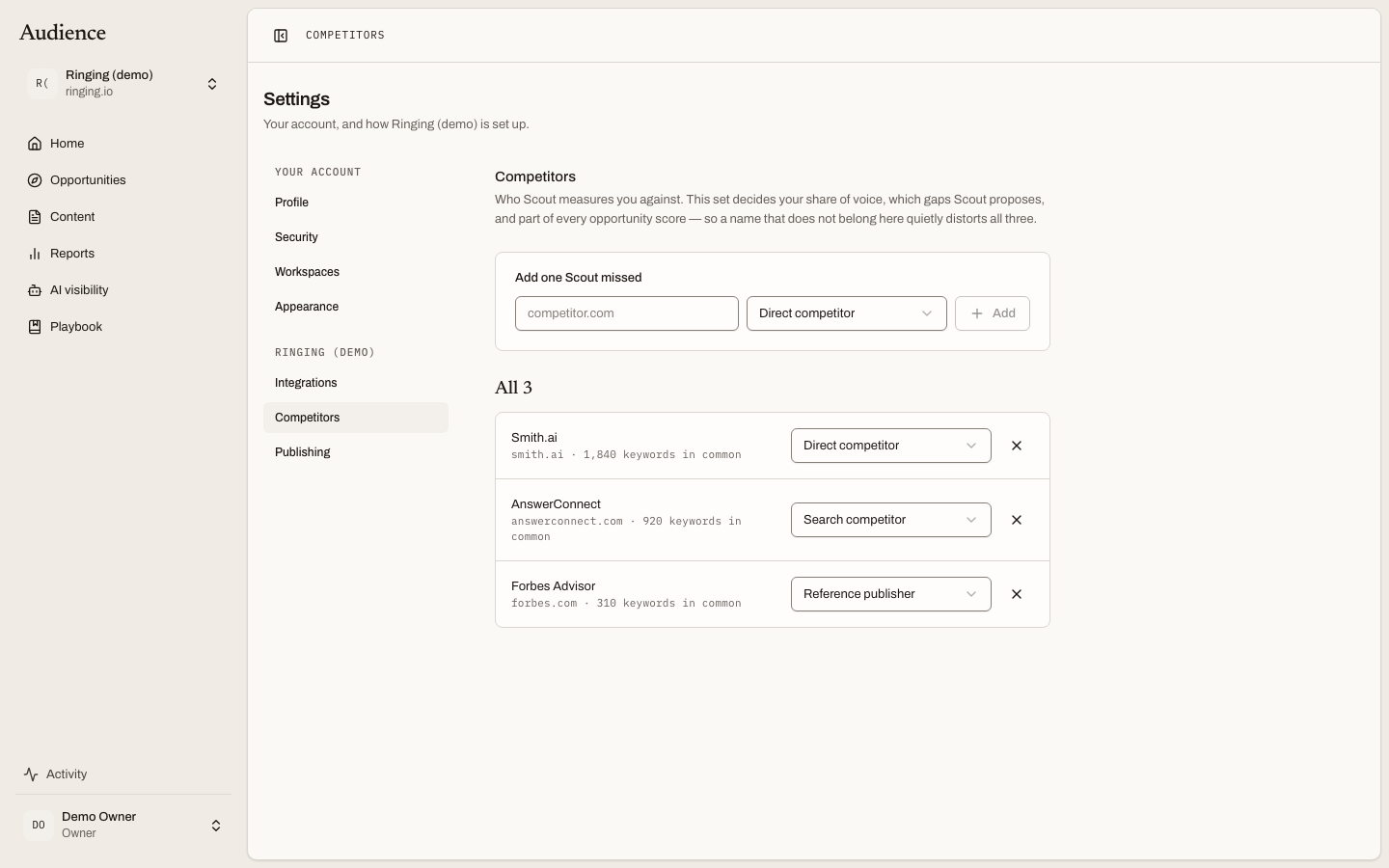 The whole list, not only the strongest matches, because someone who came here is usually looking for one wrong name.
Where the list comes from
Scout proposes competitors during setup by looking at who else ranks for the queries you already rank for, and it keeps proposing new ones as your search market shifts. Anyone you confirm or add stays. Anyone you remove is gone until you add them back.
Classification
Each competitor has a type, chosen from the dropdown on its row. The three are defined inside the dropdown itself:
| Classification | Meaning |
|---|---|
| Direct competitor | Sells something a buyer would weigh against you. |
| Search competitor | Ranks for your topics without selling what you sell. |
| Reference publisher | Scout cites these rather than trying to out-rank them: a publication, a directory, a standards body. |
Edits save themselves. There is no Save button on this page.
Why a wrong name matters
The set feeds three things:
- Share of voice on the AI visibility Market tab is a share of the mentions among this set. One large brand that does not belong turns everyone else's share into a rounding error, and the tab will warn you that you are being crowded out by it.
- Competitor gaps in the opportunity queue are the searches a confirmed competitor is strong for and you are not. A reference site listed as a competitor fills the queue with gaps you could never close.
- Competitive position is one of the eight components of every opportunity's score. With no confirmed competitors it scores nothing, and the product says it does not know who you compete with yet.
If a competitor is a common word as well as a company, Scout takes care not to treat that word as a brand when it filters your keywords; you do not have to do anything for that.
Adding one you know
Type a domain into the add field and choose its type. Scout starts measuring against it on the next rebuild and the next AI visibility market measurement. Removing a competitor is the button at the end of its row.
The empty state says it plainly: "No competitors yet. Scout proposes these from who else ranks for your topics. Add anyone you know you are compared against in the meantime."