Content
Topic and outline review
The two checkpoints before a word of the article is written, where you confirm the topic Scout researched and approve or redirect the outline it drafts from.
Audience asks you to approve the thinking before the writing. That is two checkpoints, and both come before the draft exists: a short one where you confirm what Scout found in research, and a longer one where you read, edit and approve the outline. Everything Scout writes afterwards is written from the outline you approved.
Topic review
When research finishes, the article moves to Topic review and the row on the Content page says Review the topic. What you are confirming is the shape of the piece now that Scout has read what ranks: the search intent it found, the angle it recommends, and the sources it is working from. If the research changed your mind about the topic, this is the cheapest moment to stop. Confirming sends Scout on to write the outline.
Outline review
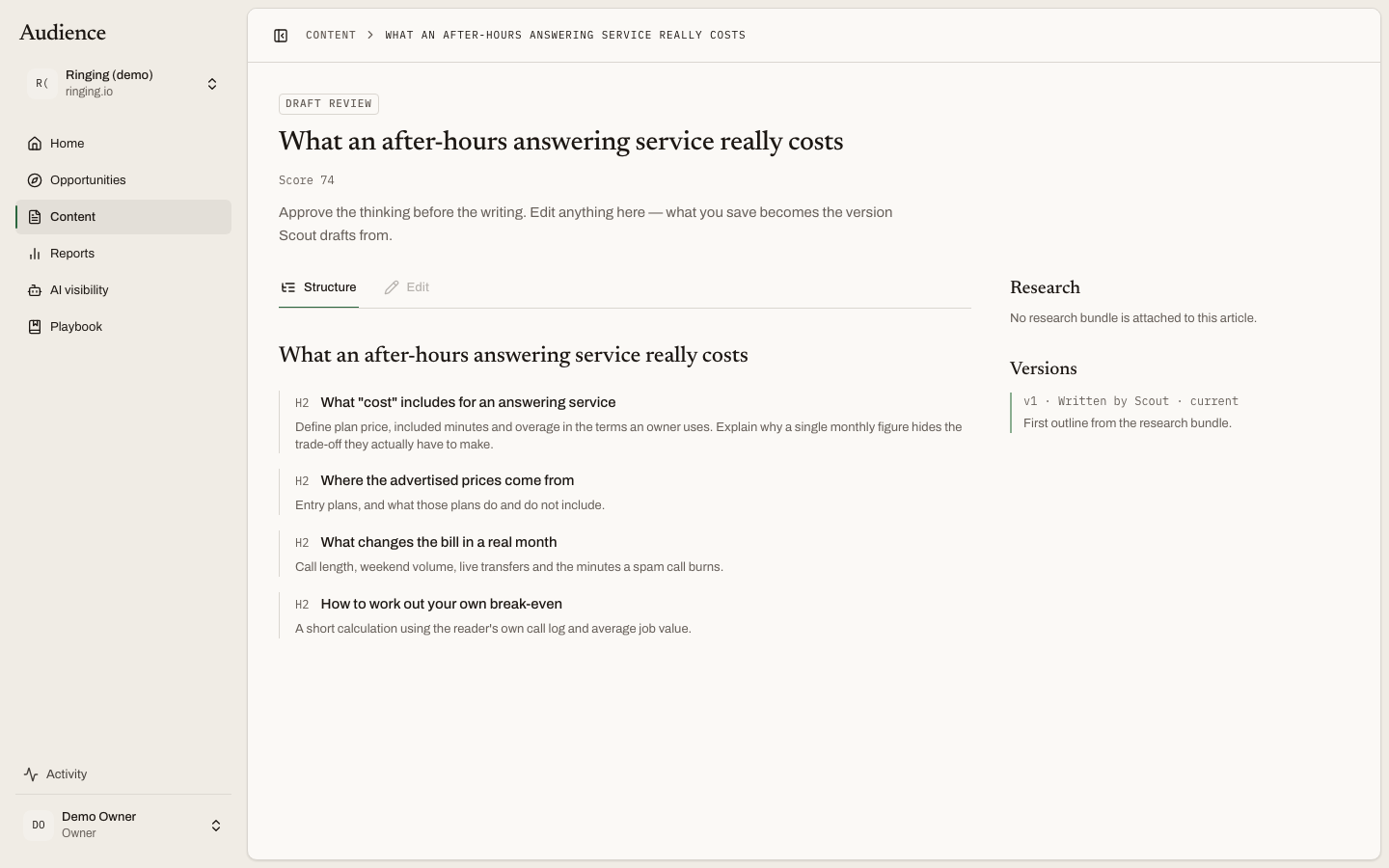 The outline on the left is editable. What you save becomes the version Scout drafts from.
The page opens with the instruction it is built around: "Approve the thinking before the writing. Edit anything here, what you save becomes the version Scout drafts from."
What Scout checked
Before you read the outline, Scout reports its own pre-checks, each marked as a pass or a failure: whether the outline answers the search intent, covers what nothing ranking covers, avoids the topics your playbook rules out, and so on. A failure is information, not a lock. The panel says so: "You can approve anyway, these are Scout's observations, not a lock."
Where the outline is close to something you already publish, a duplication-risk warning appears here too, so a page that would compete with your own is caught before it is written.
The outline
The outline is Markdown in an editor. It is editable when you can approve the article and it is at the outline review stage; otherwise it is read-only. Change a heading, drop a section, reorder the argument. The version you save is the version Scout drafts from, so an edit here is the most direct way to steer the draft.
The research rail
Beside the outline sits what the outline was built from, so you can check the thinking against its evidence:
- What searchers want. The intent behind the keyword, in a sentence.
- Recommended angle. The way in that Scout proposes, and why.
- What nothing ranking covers. The gap the article can own.
- Facts with a source. Each claim Scout intends to use, with the source it came from. A claim that needs care is marked "Handle with care: …" with the reason.
- Questions readers ask. The follow-up questions the piece should answer.
- A count of the sources Scout read.
Versions
Every outline is kept. The Versions rail lists each one, labelled Written by Scout or with the editor's name. Nothing is overwritten; see versions and approval.
Deciding
The decision bar stays at the bottom of the screen. It has a feedback box labelled "Ask for a different outline, optional, the current one is kept either way", and two buttons:
- Approve outline & start drafting. Scout begins the draft from the outline as it stands, including your edits.
- Write it again. Scout writes a new outline. Put what you want changed in the feedback box first, for example "Lead with the compliance risk, and drop the tooling comparison." The current outline stays in the Versions rail.
While Scout is writing, the page says "Scout is writing the outline now." and updates itself when the outline is ready.
Who can do this
Owners, admins and editors approve outlines and ask for another. Viewers can read the outline and its research. See who does what.
What happens next
Approving the outline starts the draft. When it is ready, the article moves to draft review.