Settings and administration
Integrations
The Integrations settings page, where you connect, re-check or disconnect Google Search Console and Google Analytics after setup.
Integrations is what Scout reads to find the work worth doing. During setup you connect them on step 2; afterwards this page, reached from the workspace menu in the sidebar, is the only way back. Only owners and admins can change a connection.
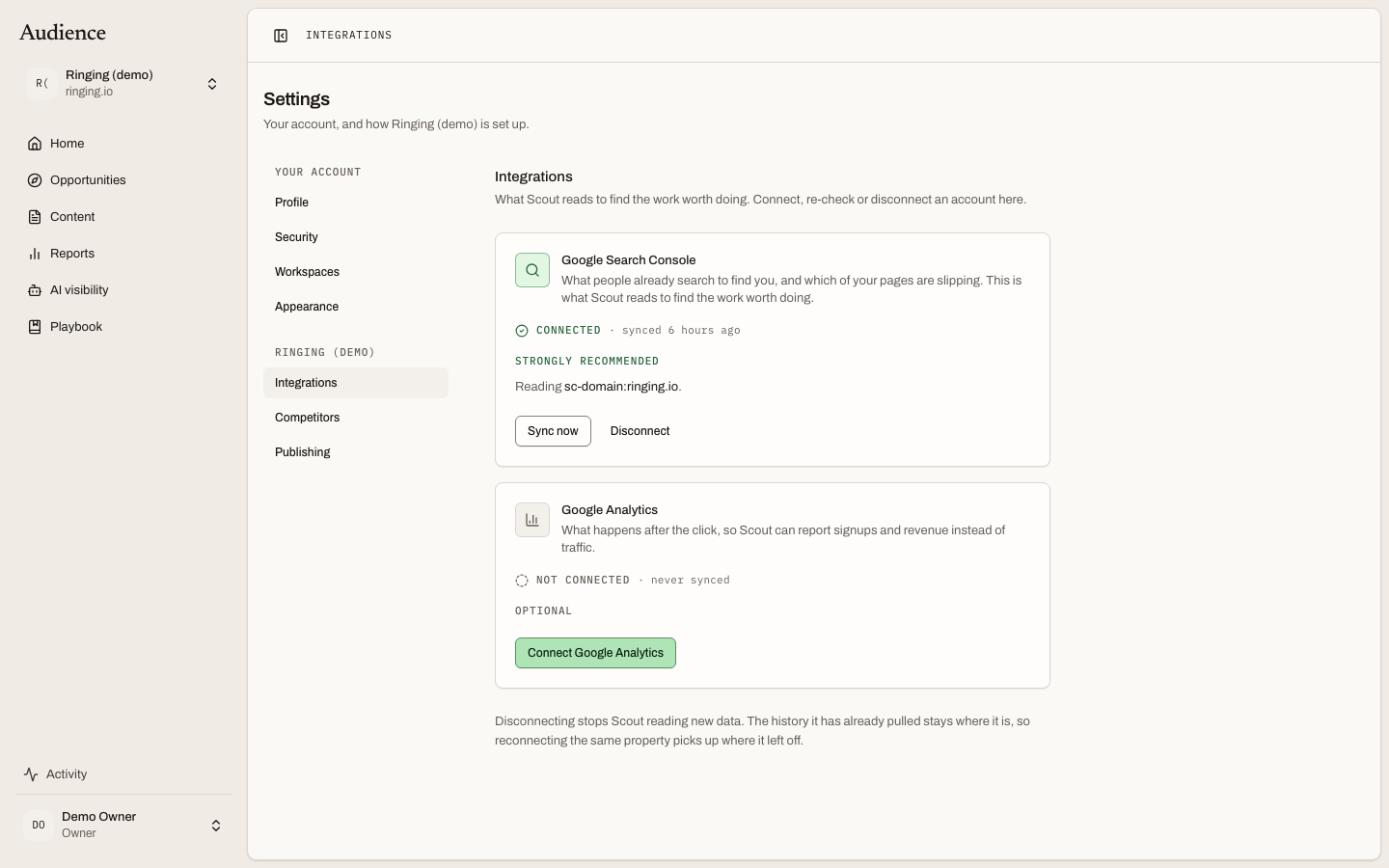 The same two cards as setup, with the controls you need once a connection exists.
The two connections
Google Search Console, marked Strongly recommended. What people already search to find you, and which of your pages are slipping. This is the single strongest signal Scout has, and it costs nothing to connect. Connect Search Console explains what it unlocks and what Scout does without it.
Google Analytics, marked Optional. What happens after the click, so Scout can report signups and revenue instead of traffic. Connect Google Analytics covers the detail.
What a card can say
Each card shows the state of its connection and the one action that fits it.
| State | What you see |
|---|---|
| Not connected | A connect button. Pressing it opens Google's consent screen in the same tab and brings you back here when you are done. |
| Started but not finished | Continue connecting. You left Google's screen before granting access. |
| Connected | The property Scout is reading, as Reading {property}., with Sync now and Disconnect. |
| Expired, failed or revoked | Reconnect. The grant stopped working, usually because access was withdrawn in Google. |
| Connected, no property chosen | Choose a property. Google returned more than one and the match was not obvious. Nothing is read until you pick. |
Sync now re-checks the grant and pulls the latest data without waiting for tonight's sync. It is not a full re-import.
Choosing a property
When your Google account has exactly one property that matches your site, Scout picks it. When it does not, a picker lists what Google returned so you choose. Until you do, Home shows the connection as waiting on you, and setup's build screen marks the task Waiting on you rather than failed.
Disconnecting
Disconnecting stops Scout reading new data. The history it has already pulled stays where it is, so reconnecting the same property picks up where it left off. Nothing in your reports or opportunity scores is deleted; the parts that need fresh data simply stop updating and say so.
Related
- Connect Search Console
- Connect Google Analytics
- What runs when for the nightly syncs.